Organisation setup#
Create a CI Bot#
The CI bot is the GitHub user sitepark-bot. It creates the releases and pushes the release commits and tags. The section Setup a CI bot with GPG signature describes how to create the CI bot.
Important points here are
Team bots#
The sitepark-bot is the only member of the team bots. The projects grant their permissions to this team and not to the user directly, see Manage access.
Personal access token BOT_PAT#
Create a personal access token (classic) for the sitepark-bot and store it as the organization secret BOT_PAT. It is used by the release actions and by the settings check. The settings check can only read the settings of projects on which the sitepark-bot has the admin role, see Manage access.
| Scope | Required for |
|---|---|
repo |
release actions, settings check |
read:org |
settings check (reading the role of the team bots) |
admin:org |
settings check in mode apply, only to correct the team roles |
Actions secrets#
The following actions secrets are set on the organization:
| Secret | Used by |
|---|---|
BOT_PAT |
release actions, settings check |
GPG_KEY, GPG_KEY_ID |
Maven release (signing) |
SSH_PRIVATE_KEY |
Maven release (push via SSH) |
CODECOV_TOKEN |
verify actions (code coverage upload) |
MVN_REPO_SNAPSHOT_SERVER_* |
Maven snapshot deployment, see below |
MVN_REPO_RELEASE_SERVER_* |
Maven release deployment, see below |
Deploy Maven snapshot artifacts to the sitepark Maven repository#
Snapshots are published in the Maven repository of Sitepark. The following action secrets must be set for this:
MVN_REPO_SNAPSHOT_SERVER_ID=sitepark
MVN_REPO_SNAPSHOT_SERVER_USERNAME=[USERNAME]
MVN_REPO_SNAPSHOT_SERVER_PASSWORD=[PASSWORD]
MVN_REPO_SNAPSHOT_SERVER_URL=https://nexus.sitepark.com/nexus/content/repositories/snapshots
Deploy Maven release artifacts to the central Maven repository#
The following page describes how to register an account:
A token must then be generated:
Once the token has been created, the following action secrets must be set:
MVN_REPO_RELEASE_SERVER_ID=central
MVN_REPO_RELEASE_SERVER_USERNAME=[TOKEN USERNAME]
MVN_REPO_RELEASE_SERVER_PASSWORD=[TOKEN]
Verify settings#
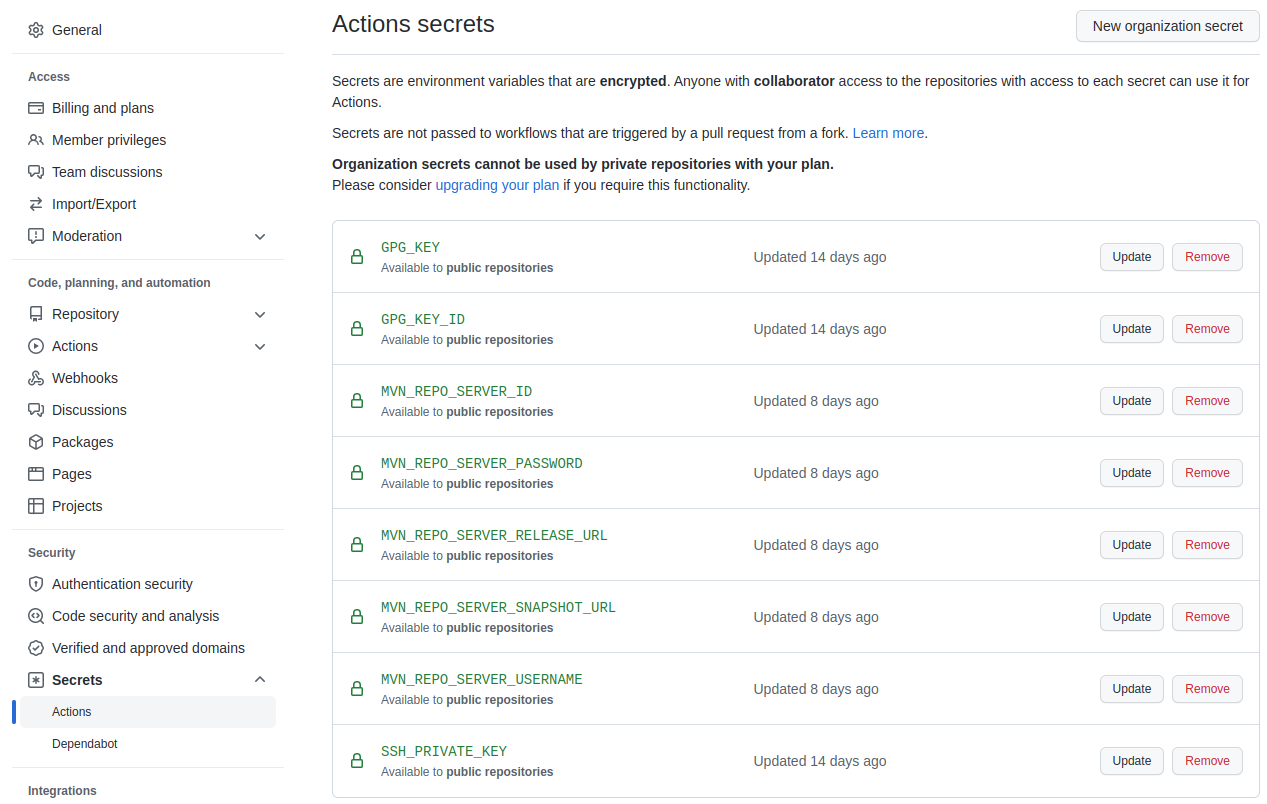
When all points are executed, the organization should contain the following actions secrets:
Integrate Codecov GitHub App#
For a good integration of the code coverage test, the Codecov GitHub app is set up. See https://github.com/marketplace/codecov
Integrate Snyk GitHub App#
To check the dependencies for vulnerabilities, the Snyk GitHub app is integrated. See https://github.com/marketplace/snyk